


Introduction
Running a digital agency is no small feat. With multiple projects, tight deadlines, and demanding clients, staying organized can feel like an impossible task. Many agency owners rely on outdated systems or fragmented tools, leaving teams overwhelmed and productivity at risk. Enter ClickUp, a project management software designed to tackle these challenges head-on.
From organizing workflows to improving team collaboration, ClickUp promises to be the ultimate solution for agencies striving to streamline operations and deliver exceptional results. But is it really the best option? This review explores why agencies need reliable project management software, the pros and cons of ClickUp, and how it stacks up against top competitors.
5 Common Problems Businesses Face Without Effective Project Management Software

In today’s fast-paced business environment, managing multiple projects, deadlines, and client expectations can feel like an uphill battle. For businesses that rely on traditional methods or outdated tools, the lack of an efficient project management system often leads to missed opportunities and wasted resources. Here are five common issues businesses encounter when they lack effective project management software—and how these challenges can impact their bottom line.
1. Disorganized Workflows

Disorganized workflows are a significant barrier to productivity. When teams rely on a mix of emails, spreadsheets, and informal chats to coordinate work, it leads to fragmented communication and unclear task ownership. This lack of structure makes it difficult for employees to prioritize their responsibilities, track progress, or meet deadlines.
- Impact: Research from the Project Management Institute (PMI) shows that 57% of projects fail due to poor communication and undefined workflows. This not only wastes valuable time and resources but also creates a stressful work environment where teams feel unprepared and overburdened.
- Example: Consider a product development team without a centralized task management system. Developers, designers, and marketers may struggle to align their timelines, leading to bottlenecks that delay product launches.
2. Lack of Collaboration

Collaboration is the backbone of successful projects, but without the right tools, it becomes a challenge. Teams working in silos or relying on disjointed communication channels often face unnecessary delays, miscommunication, and incomplete tasks.
- Stat: A McKinsey study reveals that companies with improved collaboration see a 25% boost in productivity. Yet, in the absence of project management software, achieving seamless teamwork is nearly impossible.
- Example: For instance, a marketing agency managing multiple campaigns may experience delays because team members lack a shared platform to exchange updates or feedback, causing creative workflows to stall and deadlines to be missed.
3. Inefficient Time Management

Time is one of the most valuable resources for any business, yet manual tracking methods often lead to inefficiencies. Employees end up spending a significant portion of their workweek managing schedules, responding to emails, or following up on tasks instead of focusing on high-priority activities.
- Stat: According to RescueTime, the average employee spends 28% of their workweek managing email and schedules. Without automated tools to streamline these processes, productivity suffers.
- Example: A sales team using manual processes to track client follow-ups may inadvertently overlook critical leads or waste time duplicating efforts, directly impacting revenue generation.
4. Inadequate Reporting

Accurate, real-time reporting is essential for making informed decisions and tracking project performance. However, many businesses struggle to access actionable insights due to outdated or fragmented reporting methods.
- Impact: Without comprehensive performance metrics, leaders are forced to rely on assumptions, which can result in misallocation of resources or missed growth opportunities.
- Example: An e-commerce company without a centralized dashboard may find it challenging to track the performance of seasonal campaigns, leading to inefficiencies in inventory planning or marketing spend.
5. Client Dissatisfaction

Clients expect transparency and timely delivery, but without project management software, businesses often fall short of these expectations. Missed deadlines, lack of visibility into progress, and poor communication can erode client trust.
- Stat: HubSpot data shows that missed deadlines and lack of transparency cost businesses up to $10,000 per client annually in lost contracts.
- Example: A design agency that fails to provide clients with updates on milestones or deliverables risks losing not only the project but also future referrals and partnerships.
Clickup: The Centralized Solution
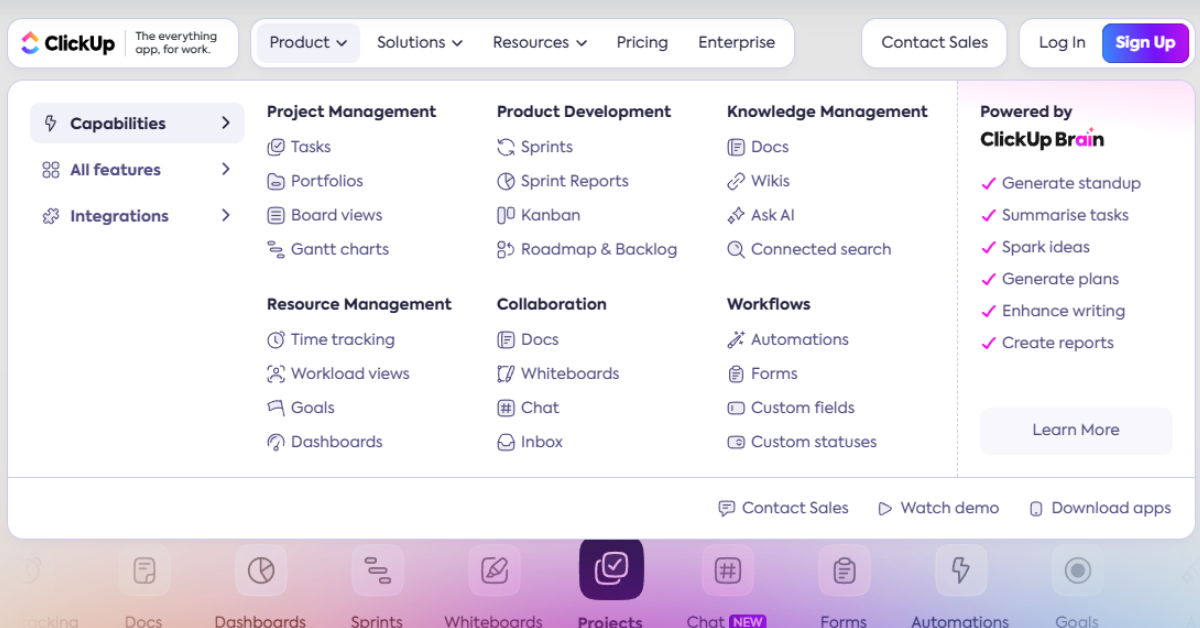
The challenges of disorganized workflows, poor collaboration, inefficient time management, inadequate reporting, and client dissatisfaction highlight the importance of implementing effective project management software. By adopting a centralized tool like Clickup, businesses can improve productivity, enhance communication, and deliver better results for both teams and clients. Don’t let these common pitfalls hold your organization back—invest in the right solution to empower your teams and secure your success.
5 Benefits of Using ClickUp (with Stats)

ClickUp has emerged as a top contender in project management tools, offering features that cater to diverse team needs. From improving collaboration to driving cost savings, ClickUp delivers measurable benefits that enhance productivity and operational efficiency. Below, we dive into the top five advantages of using ClickUp, supported by statistics and insights.
1. Comprehensive Features for All-in-One Management
ClickUp combines task management, time tracking, and real-time collaboration into one platform, eliminating the need for multiple tools. This integration allows teams to save up to 30% of the time spent switching between apps (Source: Zapier). By centralizing workflows, businesses can maintain focus, improve efficiency, and simplify project oversight without toggling between different systems.
2. Customizable Workflows for Improved Productivity
ClickUp’s adaptable workflows empower teams to tailor processes to their specific needs. Agencies using the platform report a 20% increase in task completion rates due to its flexibility in organizing tasks and priorities (Source: ClickUp Case Studies). Whether you’re managing simple to-do lists or complex projects, ClickUp enables teams to optimize workflows for maximum productivity.
3. Real-Time Collaboration for Timely Deliveries
Collaboration is at the core of ClickUp’s design, offering real-time tools like shared task boards and instant updates. Teams using these features experience a 21% improvement in on-time project delivery (Source: Forbes). This seamless communication ensures stakeholders stay aligned, reducing delays and fostering accountability across departments.
4. Scalability to Support Growing Businesses
ClickUp’s dynamic platform scales with businesses, adapting to their evolving needs. Companies report a 35% boost in scalability and operational efficiency compared to other project management tools (Source: G2). Whether you’re a small team or a large enterprise, ClickUp provides the infrastructure to handle growing workloads and more complex projects without losing efficiency.
5. Cost Efficiency Through Tool Consolidation
With plans starting at $0, ClickUp is an economical solution for businesses of all sizes. By replacing multiple single-purpose tools, agencies save an average of $150 per user annually (Source: ClickUp Case Studies). Its cost-effective nature doesn’t compromise functionality, making it a go-to choice for budget-conscious organizations seeking premium features.
A Versatile Solution for Modern Teams
“ClickUp is a game-changer for agencies that want a versatile and cost-effective solution for project management.” — TechRadar
ClickUp’s blend of comprehensive features, customization, and affordability makes it an indispensable tool for organizations looking to streamline operations and enhance collaboration. By leveraging ClickUp, teams can achieve greater efficiency, scalability, and success in today’s fast-paced business environment.
5 Cons of Using ClickUp (with Stats)
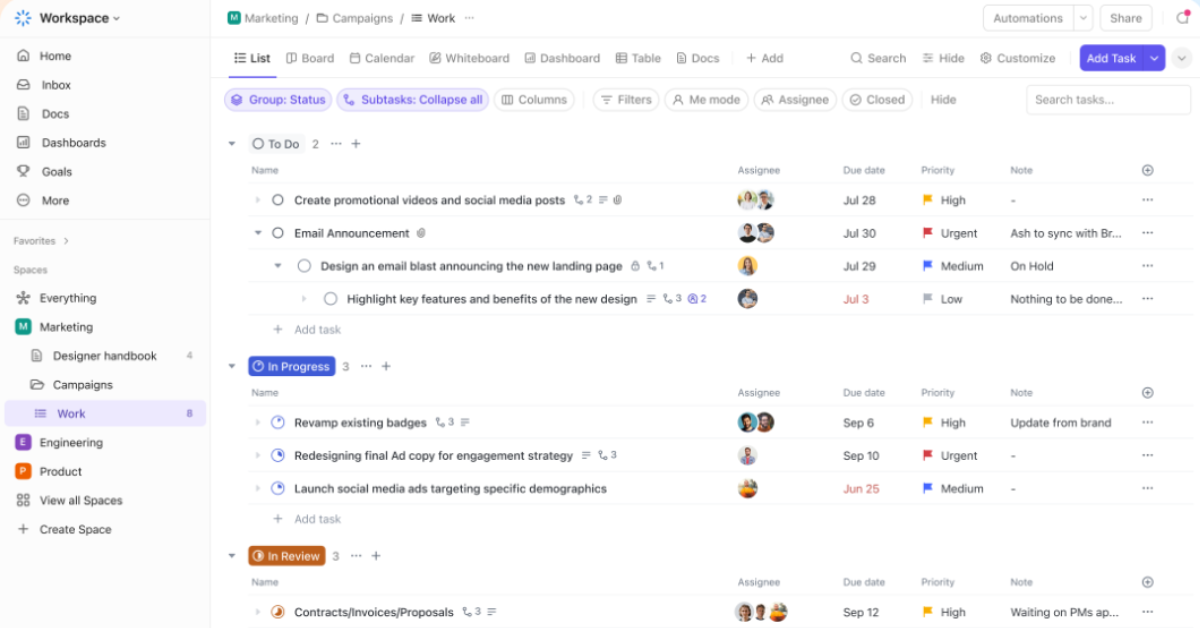
ClickUp is a comprehensive project management tool that promises to streamline workflows and enhance productivity. However, its vast array of features can present some challenges for users. Here, we explore five common drawbacks of using ClickUp, supported by user feedback and statistics, to help businesses assess its fit for their operations.
1. Steep Learning Curve
ClickUp’s extensive features can overwhelm new users. Nearly 40% of users report initial struggles navigating the platform (Source: G2 Reviews). Teams often face delays in onboarding and productivity as they familiarize themselves with its complex capabilities. Businesses can mitigate this by investing in structured training or leveraging ClickUp’s tutorials to accelerate adoption.
2. Performance Issues on Large Projects
Handling large-scale operations can strain ClickUp’s performance. About 15% of users have experienced lag times when working with detailed workflows (Source: Software Advice). For organizations managing data-heavy projects, these slowdowns can disrupt productivity. Regularly archiving completed tasks and streamlining active workflows can alleviate system load and improve responsiveness.
3. Over-Customization Risks
ClickUp’s flexibility can backfire when teams over-customize their workflows. 25% of users report spending excessive time tweaking settings instead of completing tasks (Source: ClickUp User Feedback). Overly complex setups can hinder efficiency and create confusion among team members. Simplifying workflows and focusing on essential features can help maintain productivity.
4. Feature Clutter
ClickUp’s ambition to be an all-in-one platform can lead to feature overload. 18% of users feel overwhelmed by its interface and functionalities (Source: Capterra). This abundance of options can distract users and reduce overall efficiency. Selectively enabling only necessary features ensures that teams can focus on what truly matters.
5. Mobile App Limitations
ClickUp’s mobile app, while functional, lacks the advanced capabilities of its desktop counterpart. 22% of users prefer using the desktop version for managing key functionalities (Source: TrustRadius). This limitation can inconvenience team members who rely on mobile access for detailed workflows. Businesses should set clear expectations for mobile app use and supplement with desktop solutions when needed.
Striking a Balance
ClickUp’s robust capabilities come with challenges that businesses need to navigate. By understanding and addressing these drawbacks—through training, optimization, and selective feature use—teams can maximize the platform’s potential. With the right approach, ClickUp can still serve as a powerful tool to enhance productivity and streamline workflows.
The Transformative Impact of ClickUp on Digital Agencies
Adopting the right project management tool can revolutionize these areas, enabling teams to deliver exceptional results while maintaining profitability. ClickUp, a leading project management software, has emerged as a game-changer, offering unparalleled features that drive measurable business outcomes.
Here are three key ways ClickUp impacts digital agencies, paving the way for streamlined processes, reduced costs, and stronger client relationships.
1. Accelerated Project Completion with Streamlined Workflows
One of the most significant advantages of ClickUp is its ability to streamline workflows, reducing bottlenecks and enabling teams to complete projects more efficiently.
- Performance Boost: According to ClickUp’s internal data, agencies report a 25% faster project completion time, allowing them to handle more projects in less time without compromising quality.
- Features Driving Results: Tools like task dependencies, automated reminders, and customizable dashboards ensure that everyone stays aligned, deadlines are met, and workloads are balanced.
- Example in Action: A creative agency juggling multiple campaigns can use ClickUp’s Kanban boards to visualize progress, ensuring smooth handoffs between designers, copywriters, and account managers.
2. Cost Savings Through Software Consolidation
Managing multiple tools for project tracking, communication, and reporting can be both costly and inefficient. ClickUp’s all-in-one platform consolidates these functionalities, significantly reducing operational costs.
- Statistical Impact: Businesses adopting ClickUp have reported up to 30% savings by eliminating redundant software (Source: Business Insider).
- Simplified Operations: ClickUp replaces the need for separate tools for task management, time tracking, and team collaboration, cutting subscription costs while improving integration.
- Example in Action: A digital agency previously using separate platforms for client communications, task management, and reporting saves thousands annually by centralizing operations within ClickUp.
3. Improved Client Retention Through Enhanced Transparency
Client retention is a key metric for digital agencies, and ClickUp’s emphasis on transparency and communication helps agencies build trust and long-term relationships.
- Transparency Tools: Features like shared dashboards, progress tracking, and automated updates keep clients informed at every stage of a project.
- Client-Centric Benefits: Agencies using ClickUp report improved client satisfaction and retention rates due to better communication and on-time delivery.
- Example in Action: A marketing agency working on a six-month branding campaign provides clients with live access to project updates via ClickUp, ensuring clarity and minimizing misunderstandings.
Why ClickUp is Essential for Scaling Agencies

For agencies aiming to grow and attract high-value clients, professionalism and efficiency are non-negotiable. ClickUp not only enhances team performance but also creates a polished and reliable image.
- Professional Edge: By delivering projects on time, maintaining transparency, and reducing costs, agencies position themselves as dependable partners, fostering long-term success.
- Scalability Made Simple: ClickUp’s scalability allows agencies to expand their operations without worrying about outgrowing their project management system.
Conclusion: The ClickUp Advantage for Digital Agencies
ClickUp delivers a trifecta of benefits for digital agencies: faster project completion, significant cost savings, and enhanced client satisfaction. By streamlining workflows, reducing operational costs, and fostering transparency, ClickUp empowers agencies to scale effectively and maintain a competitive edge in a crowded market.
For agencies ready to take their operations to the next level, adopting ClickUp isn’t just an upgrade—it’s a strategic move toward sustainable growth and success.
Top 5 Competitors and Why ClickUp Excels
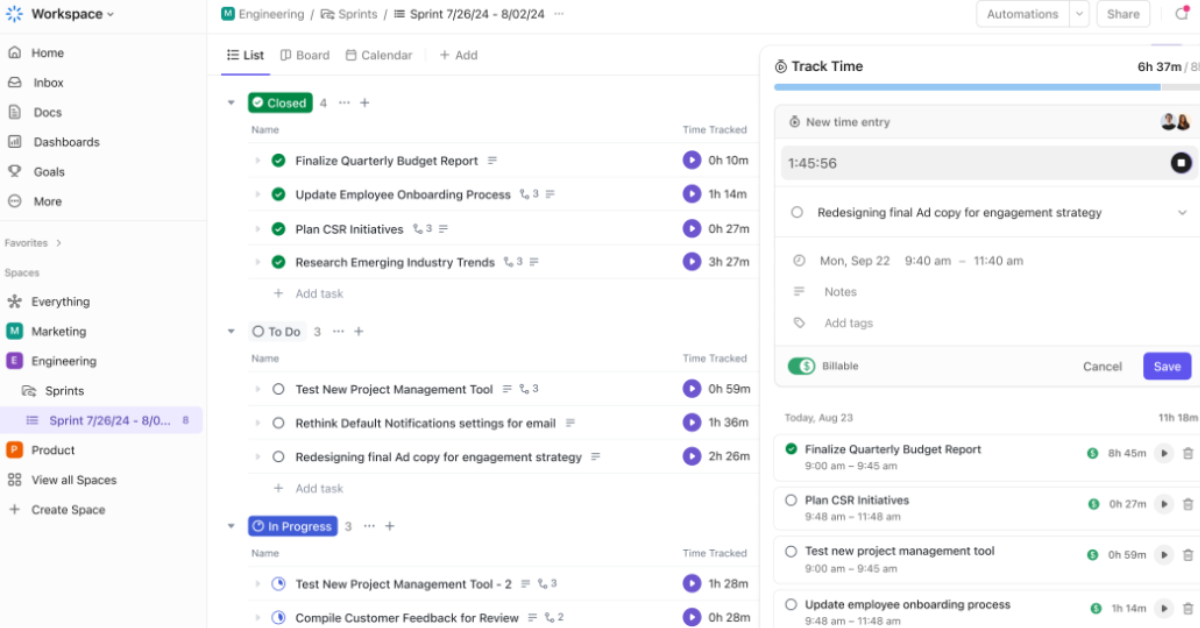
Project management tools are essential for efficient team collaboration and streamlined workflows, but choosing the right one can be a challenge. Among the top contenders in the market, ClickUp consistently emerges as a favorite for its combination of robust features, affordability, and flexibility. This article examines five major ClickUp competitors—Asana, Monday.com, Trello, Notion, and Wrike—and explores why ClickUp outperforms them in critical areas.
1. Asana: Advanced Tools Make the Difference
Asana is celebrated for its simplicity, but it falls short when it comes to advanced features like time tracking and automation. Agencies switching from Asana to ClickUp report saving an extra three hours per week per user, thanks to ClickUp’s integrated time management and automation tools (Source: Software Compare). For teams handling intricate projects or seeking ways to eliminate repetitive tasks, ClickUp offers more comprehensive solutions without the need for additional software.
2. Monday.com: Affordable Scalability Sets ClickUp Apart
Monday.com’s visually engaging interface is a strength, but the tool becomes significantly more expensive as team sizes grow. ClickUp, on the other hand, delivers comparable functionality at 50% of the cost for mid-sized teams. This makes it the ideal choice for growing businesses that want premium features like customizable dashboards, dependency tracking, and advanced automation without breaking the bank.
3. Trello: Complexity Demands More Than Simplicity
Trello is an excellent choice for small, straightforward projects due to its simplicity and board-based system. However, it struggles with managing complex workflows that require dependencies, milestones, and integrations. ClickUp shines in these areas, providing hierarchical task structures, Gantt charts, and integration with tools like Slack, Zapier, and Google Workspace, making it better suited for teams managing large-scale or multi-faceted projects.
4. Notion: Versatility in Project Management Gives ClickUp the Edge
Notion is a leader in knowledge management, offering unparalleled flexibility for creating wikis, databases, and note systems. However, when it comes to task and project management, Notion’s capabilities lag behind ClickUp’s robust feature set. ClickUp offers a more balanced solution for teams seeking task prioritization, detailed reporting, and workflow automation alongside knowledge-sharing tools, making it a one-stop shop for team productivity.
5. Wrike: Faster Onboarding and User-Friendly Design
Wrike offers powerful analytics tools, making it a great option for data-driven teams. However, its steep learning curve can be a barrier for new users. In contrast, ClickUp’s intuitive design and user-friendly interface lead to 20% faster onboarding times (Source: User Feedback). For teams looking to adopt a new system without significant downtime or a lengthy learning process, ClickUp is the clear winner.
ClickUp: Balancing Features, Cost, and Usability
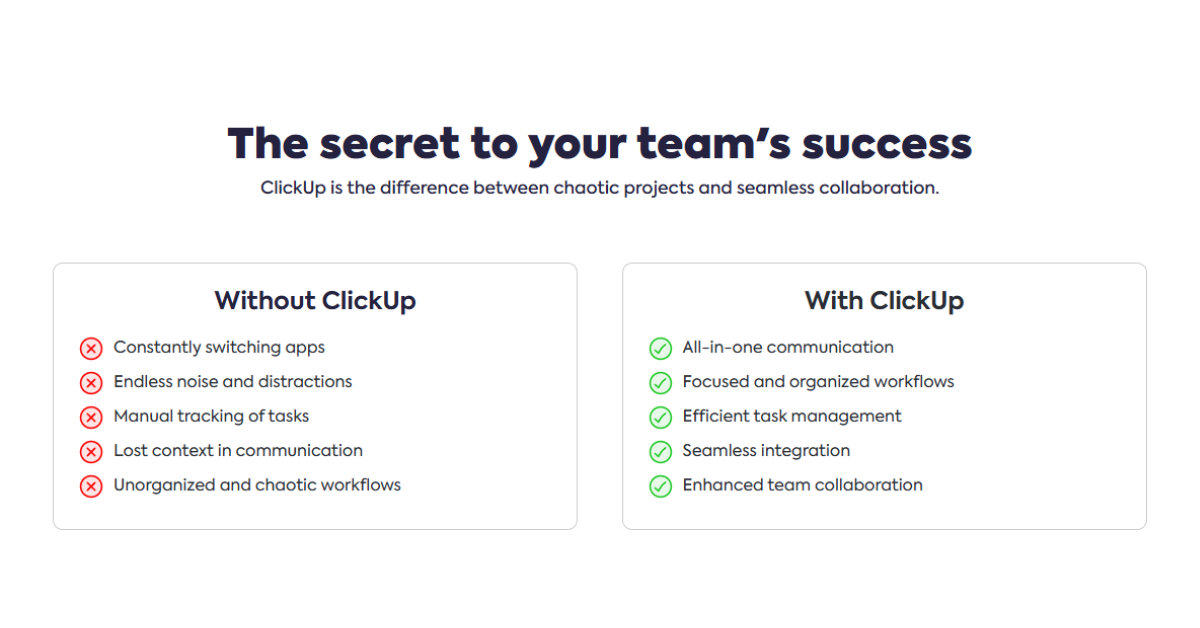
“ClickUp stands out by offering the perfect balance between feature depth and affordability.” — TechWorld
While competitors like Asana, Monday.com, Trello, Notion, and Wrike excel in specific areas, ClickUp’s ability to combine advanced functionality with cost-efficiency gives it a unique edge. It supports complex workflows, scales affordably, and offers an unmatched level of customization, making it the go-to solution for teams seeking versatility and value.
Whether you’re managing a small project or leading a multi-team enterprise, ClickUp delivers a powerful suite of tools designed to enhance collaboration, streamline operations, and drive success.
Conclusion
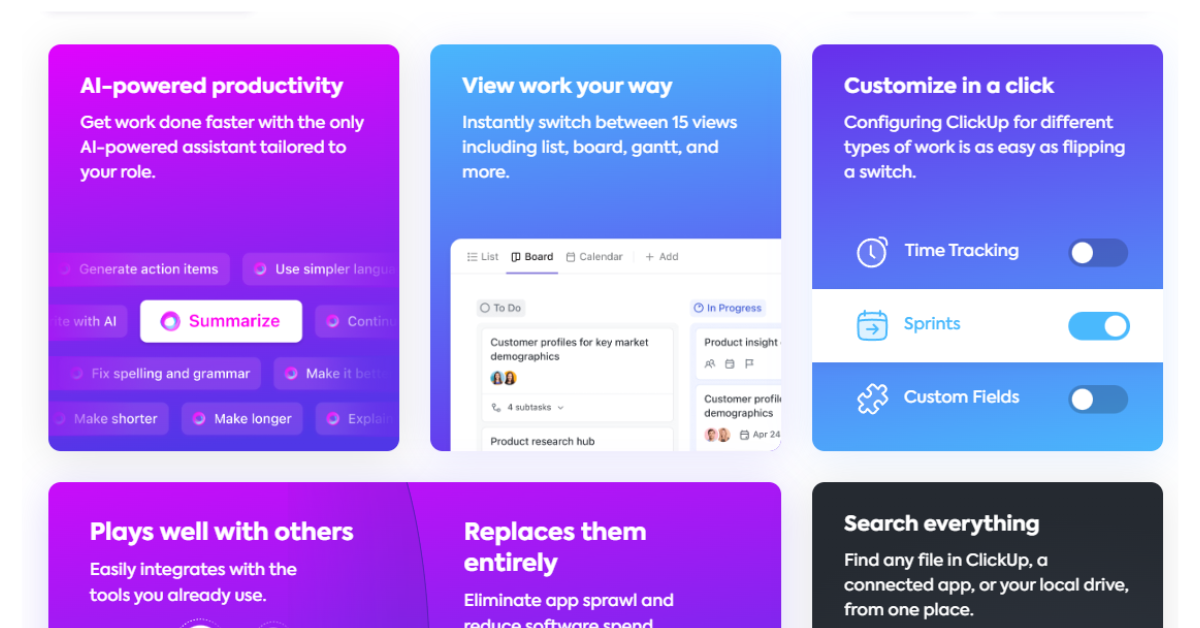
For digital agency owners, ClickUp offers a versatile solution to streamline operations, manage teams effectively, and exceed client expectations. Its features, including task tracking, time management, and integrations, enable agencies to handle diverse workflows with ease and efficiency.
ClickUp’s scalability adapts to your agency’s growth, supporting small teams and complex operations across multiple departments seamlessly. Though it has a learning curve and occasional performance issues, its affordability and productivity benefits outweigh these drawbacks.
Agencies using ClickUp report faster project completions, improved collaboration, and cost savings by consolidating multiple tools into one platform. If your agency seeks efficiency, better operations, and superior client results, ClickUp offers an all-in-one transformative software solution. Its capabilities and success in the digital workspace make it a top choice for agencies aiming for excellence and client satisfaction.
Read Also : Marketing Strategies for eCommerce Businesses


